

New to Canada?
If you’re new to Canada, don’t miss our Newcomers to Canada: The Ultimate Guide. It covers everything you need to know about settling in Canada, including housing, employment, healthcare, banking, education, government benefits, and much more.
If you run a business in Canada — whether you’re a self-employed web designer in Halifax, the owner of a Toronto-based café, or managing a construction company out in Calgary — chances are you’ve heard of CRA My Business Account. And if you haven’t set yours up yet, now’s the time to get on board.
Running a business is no small feat, especially when it comes to dealing with taxes and staying compliant with the CRA. But the good news? CRA My Business Account takes a lot of the pain out of paperwork. It’s your secure, online portal to view balances, file returns, make payments, and talk directly with the CRA — all in one place.
In this complete guide, we’ll walk you through everything Canadians need to know about the CRA My Business Account — from who it’s for, to how to register, to the key features that can save you time and headaches come tax season (and beyond).
What Is CRA My Business Account?
Let’s keep it simple: CRA My Business Account is an online self-service portal from the Canada Revenue Agency (CRA) designed specifically for business owners and organizations.
It gives you secure access to your business tax information — things like GST/HST returns, payroll remittances, corporate income taxes, and more.
Think of it as your digital front desk with the CRA, open 24/7. You don’t need to wait on hold, mail forms, or keep a shoebox of receipts under your desk (though we still recommend a good filing system).This isn’t to be confused with My Account, which is for personal income taxes. CRA My Business Account is built for anything registered under your Business Number (BN).
Who Should Use CRA My Business Account?
You don’t need to be running a million-dollar company to benefit. In fact, most Canadians who earn income through a business or provide services beyond regular employment should consider signing up.
Here’s who it’s for:
- Sole Proprietors – Freelancers, consultants, gig workers
- Incorporated Businesses – Whether you’re a one-person corporation or a team of 50
- Partnerships – With a CRA-registered Business Number
- Non-Profits & Charities – That manage payroll or file GST/HST
- Employers – With payroll deductions and remittance obligations
- GST/HST Registrants – Required to file regular returns
In short, if you have a Business Number with CRA, you can and probably should be using My Business Account.
How to Register for CRA My Business Account: Step-by-Step
Getting started isn’t hard, but it does involve a few steps. Here’s a Canadian-friendly walk-through:
Step 1: Get a Business Number (BN)
Before anything else, your business needs to be registered with the CRA. If you haven’t done that yet, you can apply online via CRA: Register for a Business Number.
You’ll be assigned a 9-digit BN with one or more program accounts:
- RC – Corporate income tax
- RP – Payroll deductions
- RT – GST/HST
- RM – Import/export
Step 2: Choose How to Sign In
Once you’ve got your BN, head to: CRA My Business Account Sign-In
You have two options:
Option A: CRA User ID and Password: Create a login directly through the CRA. You’ll set up a username, password, and security questions.
Option B: Sign-In Partner: Use your existing online banking credentials with a major Canadian bank (TD, RBC, CIBC, etc.). It’s fast, secure, and doesn’t give the CRA access to your banking.
Step 3: Request Your CRA Security Code
After your first login, you’ll be prompted to request a security code. This code will be mailed to your business address CRA has on file (within 5–10 business days).
When it arrives, return to the site, log in, and enter the code. Now you’re fully registered!
Benefits of Using CRA My Business Account (for Canadians)
Let’s look at why Canadian entrepreneurs, tradespeople, and professionals across the country rely on this tool.
Always Available
Forget working around CRA office hours — the portal is open 24/7. Whether you’re catching up on paperwork late at night in Vancouver or checking balances during lunch in Ottawa, it’s all accessible.
Keep Everything in One Place
GST/HST filings, payroll summaries, correspondence from the CRA — it’s all centralized. You won’t have to dig through emails or log in to multiple places.
Stay On Top of Deadlines
You’ll see upcoming due dates, reminders for remittances, and even receive CRA mail (digitally). This helps you avoid late fees and penalties — which are no joke.
Easy Payment Options
Make payments securely using Pre-Authorized Debit, My Payment, or through your online banking. You can even schedule payments ahead of time.
Save Time (and Money)
Cut down on paperwork, mailing costs, and back-and-forth with your accountant. The portal gives you access to everything your business needs for tax compliance.
Did You Know…
- that you can manage multiple businesses with one login? If you’re the director or authorized person for multiple businesses (each with a unique CRA Business Number), you can link all accounts and toggle between them with a single login. It’s ideal for serial entrepreneurs, franchises, or consultants managing multiple entities.

Looking for federal and provincial benefit programs? Visit our Canada Benefits and Payment Dates Guide to compare major government benefits, payment schedules, and eligibility in one place.
Key Differences: My Business Account vs. My Account vs. Represent a Client
Let’s clarify a common point of confusion. The CRA offers three main online portals, and it’s easy to mix them up. Here’s a quick comparison to help you choose the right one:
| CRA PORTAL | BEST FOR | USED BY |
| My Business Account | Business tax matters | Business owners, corporations |
| My Account | Personal income taxes | Individuals, employees |
| Represent a Client | Managing clients’ accounts | Accountants, tax professionals |
If you’re managing your own business, you want My Business Account. If you hire someone like an accountant to help, they’ll access your info through Represent a Client (with your permission).
CRA My Business Account Dashboard: What to Expect
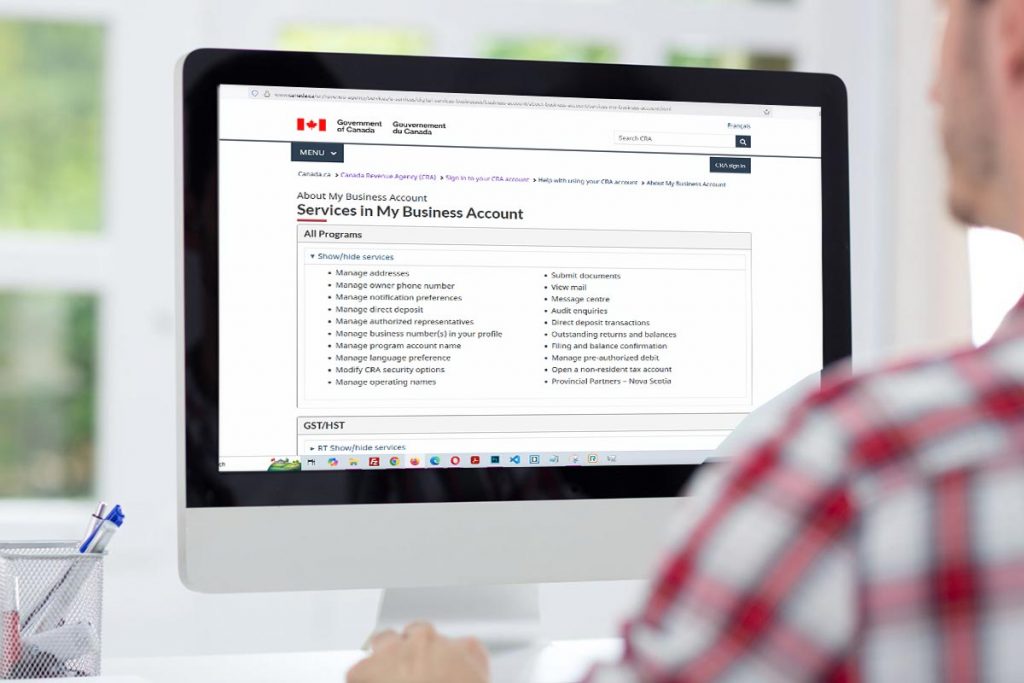
Once you’re inside your account, you’ll land on a clean, organized dashboard. It will show you:
- Each program account (e.g. GST/HST, payroll, corporate tax)
- Outstanding balances or credits
- A list of recent filings
- CRA messages or alerts
- Options to file returns, pay, or upload documents
Navigation is intuitive, and most actions can be completed in a few clicks.
How to Authorize Your Accountant or Bookkeeper
Many Canadian business owners prefer letting a pro handle the books. Here’s how to give them CRA access:
Step-by-Step:
- Log in to CRA My Business Account
- Go to “Authorizing a Representative”
- Enter the person’s Rep ID, Group ID, or Business Number
- Choose the level of access:
- View only
- View and change
- View, change, and authorize others
- Set an expiry date (or leave it open)
- They’ll now see your accounts in “Represent a Client”
This makes tax season and audits way less stressful.
2026 CRA Updates You Should Know
This year, CRA added or improved several features:
- Real-time status tracking for refunds and returns
- Expanded digital correspondence to include more forms and notices
- Improved navigation for multiple businesses or program accounts
- Faster integration with accounting software
Common Mistakes to Avoid
- Not entering your security code when it arrives—this limits access
- Missing important CRA mail by not checking your inbox
- Authorizing the wrong rep or forgetting to remove access after staff leave
- Forgetting to file GST/HST returns even when there’s no income (yes, it’s still required!)
- Not setting up pre-authorized payments, leading to late fees
Read More Helpful Resources on All Review
Looking for more Canadian resources? Browse our collection of in-depth guides covering government benefits, banking, housing, education, and much more—all designed to help you navigate life in Canada with confidence.
Government, Education & Living in Canada
- Understanding CRA My Account for Individuals
- CRA Represent a Client Guide
- CRA My Business Account: The Ultimate Guide
- Social Insurance Number (SIN) Application Guide
- My Service Canada Account (MSCA) Guide
- Minimum Wage by Province
- Food Banks in Canada Directory
- Best Universities in Canada
- Best Cities to Live in Canada
- Cheapest Places to Live in Canada
- Warmest Places to Live in Canada
- Buying a House in Canada Guide
Banking, Shopping & Canadian Brands
- Top 50 Canadian Brands – Complete Rankings
- 15 Best Canadian Clothing Brands to Buy
- Largest Banks in Canada – The Big 6
- Best Loyalty Rewards Programs in Canada (2026)
- Top Grocery & Supermarket Brands in Canada 2026
- Top Gas Station Brands in Canada (2026)
- Best Telecom Companies in Canada (2026)
Did You Know…
- that you can authorize or revoke an accountant in minutes? Through the “Authorize a Representative” section, you can grant or remove access to your accountant or bookkeeper instantly. You control what they can see or do (full or view-only access), and you can remove them at any time if your professional relationships change.

More CRA My Business Account’s FAQs
Here are answers to frequently asked questions about managing your CRA My Business Account.
Conclusion
In today’s fast-paced, digital-first business environment, CRA My Business Account is more than a convenience—it’s a necessity. It empowers you to manage your taxes proactively, avoid costly mistakes, and stay compliant year-round.
Whether you’re new to entrepreneurship or running a mature operation, signing up for this service is one of the smartest administrative moves you can make.
Don’t delay—set up your CRA My Business Account today and take control of your business tax life with confidence.